


Fonts Keyboard Themes & Emoji
4.73.77K Reviews
App Specs
- Version
- 1.0.58
- Updated On
- License
- Free
- Downloads
- 50,000,000+
- Developer
- Simple Design Ltd.
- Categories
- Personalization
- Platform
- Android, iOS
Screenshots
 Analysis by AppCompare
Fonts can make a message feel more like you, but a keyboard makeover is useful only if it fits the way you actually type. I see Fonts Keyboard Themes & Emoji as a personalization app for people who want a quick visual change to everyday chats, captions, and social posts—not as a replacement for every tool on their phone. Its appeal is easy to understand: change the look of your typing without having to redesign your whole device.
Where a connection can shape the experience
A keyboard customization app has two distinct moments: choosing how it looks and using it to write. Those moments may feel different when your connection is unreliable. Browsing through a selection or opening parts of an app can involve network activity, while the actual act of typing depends on the keyboard being available in the system. I would avoid assuming every style or item behaves the same way when a connection drops; the practical approach is to set up a preferred look while connected and check that it remains ready before relying on it for an important message.
This matters most if you tend to customize on the move. If you are about to post a caption from a train platform or send a message while switching between mobile data and Wi-Fi, it is sensible to pick a font and theme in advance rather than leave the choice until the last moment. That small habit keeps personalization from interrupting the task you opened your phone to do.
Built for quick changes on a personal keyboard
The app is in the personalization category and is developed by Simple Design Ltd. It is free to download, with optional in-app purchases priced from $0.25 to $12.99 per item. Its audience rating is Everyone, and the current release is version 1.0.55 for devices running Android 6.0 or later. The scale of its audience is notable: it has more than 50 million installs and a 4.7 average from around 472,000 ratings.
That popularity suggests the basic idea is easy to grasp, but it does not mean every person needs a decorative keyboard. I would recommend trying it if your messages are part of your self-expression—especially if you regularly write social captions, casual group chats, or notes where a distinctive style adds something. If your priority is the most familiar typing layout, predictable text appearance, or minimal changes to your phone, the standard keyboard may be the better fit.
Make customization useful, not distracting
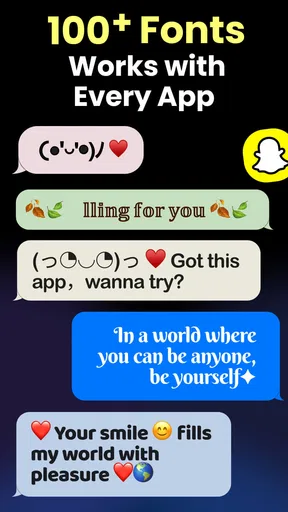
A practical way to explore the options is to choose one readable font for routine typing and save more expressive choices for moments where appearance matters. A stylized font can look great in a short caption but become tiring in a long message, and decorative characters may not display identically for everyone who receives them. I would test a style in a low-stakes chat or draft before using it for a work message, address, or anything where every character needs to be instantly clear.
The same idea applies to themes. A bright design can be fun at a glance, but contrast and legibility matter more when you are typing outdoors or using your phone late at night. Rather than changing the look every time you open the app, settle on a comfortable everyday setup and keep experiments for when you have a moment to compare. That gives you the personality boost without making typing feel like a new task.
Worth Reading Before You Choose

Switching to Android Auto Means Rethinking Your Driving Routine

Google Calendar Makes a Crowded Week Easier to Manage

Baby Panda World Brings Quick Play to Modern Phones, but Its Game Library Feels Busy

ESPN’s Live Game View Makes Following Close Games Easier

QuizzLand Review: A Good Fit for Short Trivia Breaks, Not Every Player

Basketball Stars: Multiplayer Is Fast, but Can It Recover When Matches Go Wrong?
When things do not go as planned
If the keyboard does not appear after you have explored the app, I would first return to its setup guidance and check the keyboard configuration on the device. Then I would reopen the app, confirm the selection I want, and try typing in an ordinary text field before relying on it elsewhere. This is a more useful first check than repeatedly tapping through style options, because the issue may be whether the keyboard is ready to use rather than which design is selected.
It is also worth separating a visual mismatch from a connection problem. If a style is not available or an app screen is slow to load, try again when your connection is stable. If the keyboard opens but a particular font looks different in another app, the receiving app or the way it handles text may be part of the difference. I would keep a plain, readable option in mind for messages that need to work everywhere.
Who benefits—and who may prefer another option
Compared with a typical system keyboard, this app puts more emphasis on changing the appearance of what you type. That is the reason to choose it, rather than expecting it to be the strongest option for every keyboard need. If you mostly want reliable text entry and already like your phone’s default design, staying with the built-in keyboard avoids adding another customization layer. If you enjoy matching your keyboard to your online style, a dedicated fonts-and-themes app makes that choice easier to explore.
I would also think about how often you share text outside social conversations. A decorative font is most rewarding when the people reading it can easily see and understand it. For passwords, forms, names, or instructions, plain text is usually the safer choice. Keeping stylish typing for expressive messages and ordinary typing for precision is a simple trade-off that lets the app add character without getting in the way.
First Impressions and User Interface
When you first launch Fonts Keyboard Themes & Emoji, you’re greeted with a sleek and inviting interface that doesn’t overwhelm. The layout is intuitive, making it super easy to navigate through the options. Whether you’re a tech wizard or someone who just learned what an emoji is, you’ll find your way around in no time.
The app categorizes its features neatly, so you can hop between fonts, themes, and emojis without getting lost. I particularly enjoyed the little pop-up tips that guide you through the setup process. They’re like a helpful friend who knows when to step in and when to let you explore on your own.
Fonts Galore
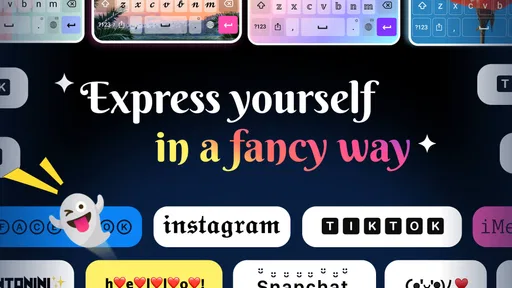
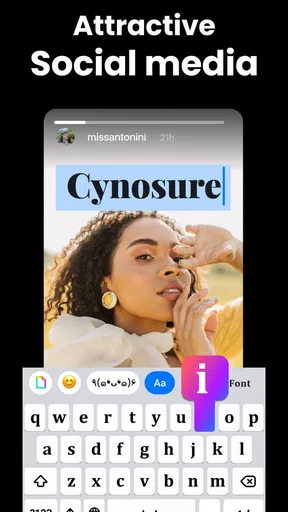
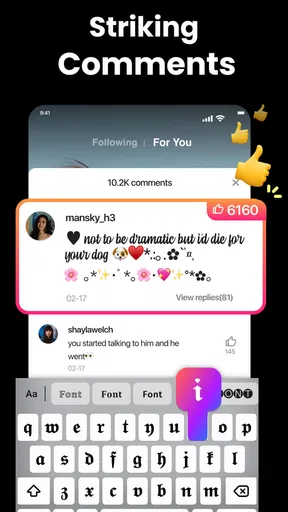
Let’s talk fonts. This app boasts an impressive collection of typefaces, each one cooler than the last. From quirky to elegant, there’s something here for everyone. I found myself switching fonts multiple times just because I could. It’s like a candy store for your keyboard!
What’s even better is how easy it is to apply them. Just a tap, and your text takes on a whole new vibe. The app also allows you to preview fonts before committing, which is a neat touch. No more guessing games!
Themes That Pop
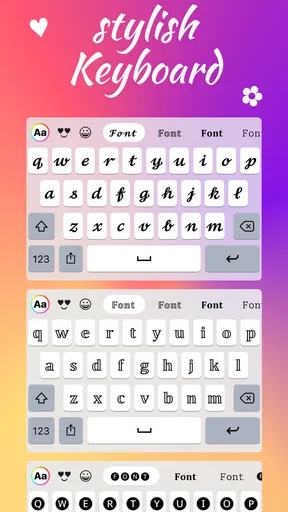
If you’re tired of your plain old keyboard, this app offers a plethora of themes to jazz things up. From vibrant colors to minimalist designs, the options are endless. I was particularly drawn to the galaxy theme, which makes every text feel like an interstellar adventure.
Switching themes is a breeze, and the app saves your favorite ones for quick access. Plus, the themes are customizable, letting you tweak colors and patterns to your heart’s content. It’s all about making your keyboard uniquely yours.
Emoji Extravaganza
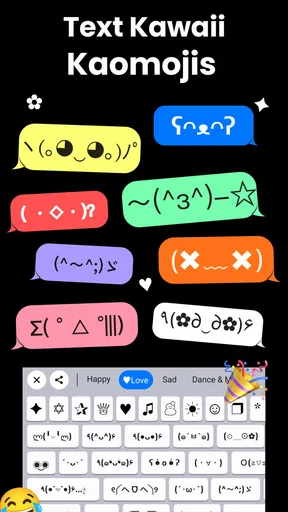
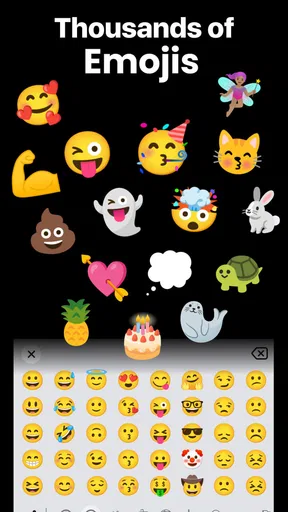
Emojis have become the universal language of the digital age, and this app doesn’t disappoint in the emoji department. It offers a vast selection that goes beyond the standard smiles and hearts. Think emoticons for every mood, occasion, and even some you didn’t know you needed!
The emoji keyboard is well-organized, making it easy to find exactly what you’re looking for. I loved how they added seasonal and holiday-themed emojis, which add a festive touch to your messages.
Performance and Compatibility
Now, onto the nitty-gritty: performance. In my experience, the app runs smoothly without any noticeable lag. It integrates seamlessly with various messaging platforms and doesn’t hog your device’s resources. I tested it on both Android and iOS, and it’s compatible across the board, which is a major plus.
One thing to note is that while the basic features are free, some premium fonts and themes are locked behind a paywall. However, the free offerings are generous enough for most users.
Final Thoughts
So, is Fonts Keyboard Themes & Emoji worth the download? If you’re looking to inject some personality into your texts and enjoy a bit of customization, I’d say absolutely. It’s a fun, easy-to-use app that delivers on its promises.
Whether you’re a font fanatic, a theme enthusiast, or just someone who loves a good emoji, this app has something to offer. Give it a whirl, and you might just find yourself spending more time on your keyboard than you ever thought possible. Download it today and let your fingers do the talking!
Pros
- Wide variety of fonts available.
- Customizable keyboard themes.
- Includes unique emojis.
- Easy to switch between languages.
- User-friendly interface.
Cons
- Contains in-app advertisements.
- Some fonts require purchase.
- Limited free themes.
- Occasional lag in performance.
- Requires internet for full features.
FAQs for Fonts Keyboard Themes & Emoji
What features does Fonts Keyboard Themes & Emoji offer?
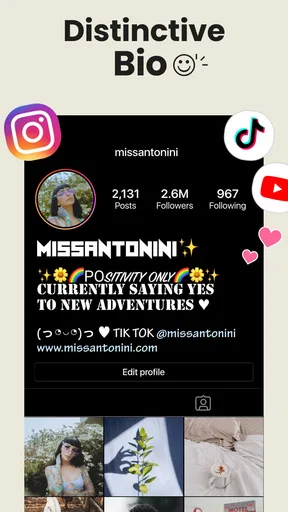
Fonts Keyboard Themes & Emoji provides users with a wide range of customizable keyboard options, including unique fonts, colorful themes, and a variety of emojis. The app allows for personalization of your typing experience, letting you switch between different styles quickly. It also offers seamless integration with popular social media platforms.
Is Fonts Keyboard Themes & Emoji free to use?
While Fonts Keyboard Themes & Emoji is free to download, it includes in-app purchases to unlock premium features. Basic functionalities like some fonts and themes are available at no cost, but advanced options and exclusive content may require a subscription or one-time purchase.
How does Fonts Keyboard Themes & Emoji affect my device's performance?
Fonts Keyboard Themes & Emoji is designed to be lightweight and efficient, ensuring minimal impact on your device's performance. However, using high-resource themes or enabling additional features may slightly increase battery usage. Regular updates help optimize the app for better efficiency.
Is Fonts Keyboard Themes & Emoji safe to use?
Yes, Fonts Keyboard Themes & Emoji is safe to use. The app is regularly updated to ensure it meets security standards, and it does not collect sensitive personal data. It’s advisable to download the app from official app stores to avoid any security risks.
Can I use Fonts Keyboard Themes & Emoji on all my devices?
Fonts Keyboard Themes & Emoji is compatible with both Android and iOS devices. You can easily install it on multiple devices as long as they meet the minimum operating system requirements. Synchronization features may vary, so check the app settings for multi-device support.


